Workspace on a phone, in Urdu, and your privacy
The Workspace fits a phone, reads right to left in Urdu, says what state it is in, and keeps your arrangement on your device.
The phone deck
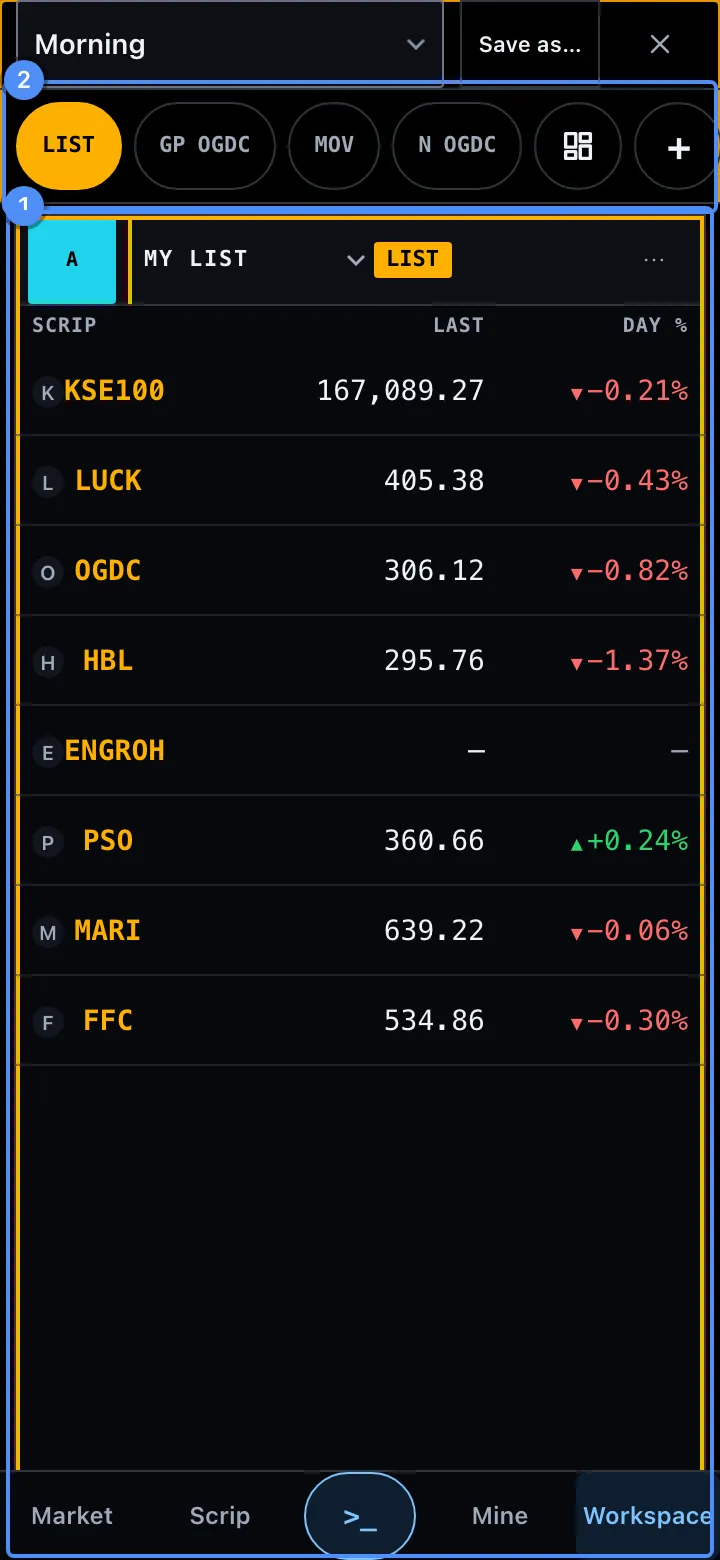
On a phone (700 px and under) one tile fills the screen, as a deck 1. Swipe to the next tile, or press one of the chips 2 under the top row. Each chip is a 44 px pill that shows its tile’s code, such as LIST or GP OGDC. The tile on screen is solid, and the strip scrolls to it. The order is the order a laptop reads: the top row first, left to right.
Press + (last in the strip) and the library opens as a sheet. Press a row to add that tile after the tile on screen. It takes that tile’s link group, and the line at the foot of the sheet says so, such as “It opens after GP LUCK, in link group B”. The new tile takes the screen.
The Desk map (the grid chip before +, or Desk map in a tile’s more menu) draws the 12 × 12 desk as a laptop shows it. Press an empty cell and a dashed target shows where the tile on screen goes; press the target to move it. Or press the tile, keep your finger down for half a second, and drag it. Under the map: Move earlier and Move later swap the tile with its neighbour in the deck, Join as a tab makes it a tab of the tile before it, and Share the layout file hands the file to your phone’s share sheet, or downloads it. The file never holds a link, a list or a holding. A tile that cannot shrink to fit says so and stays where it is.
- A panel’s head keeps the link badge, the scrip, the function and its code. One more menu holds the rest of its buttons.
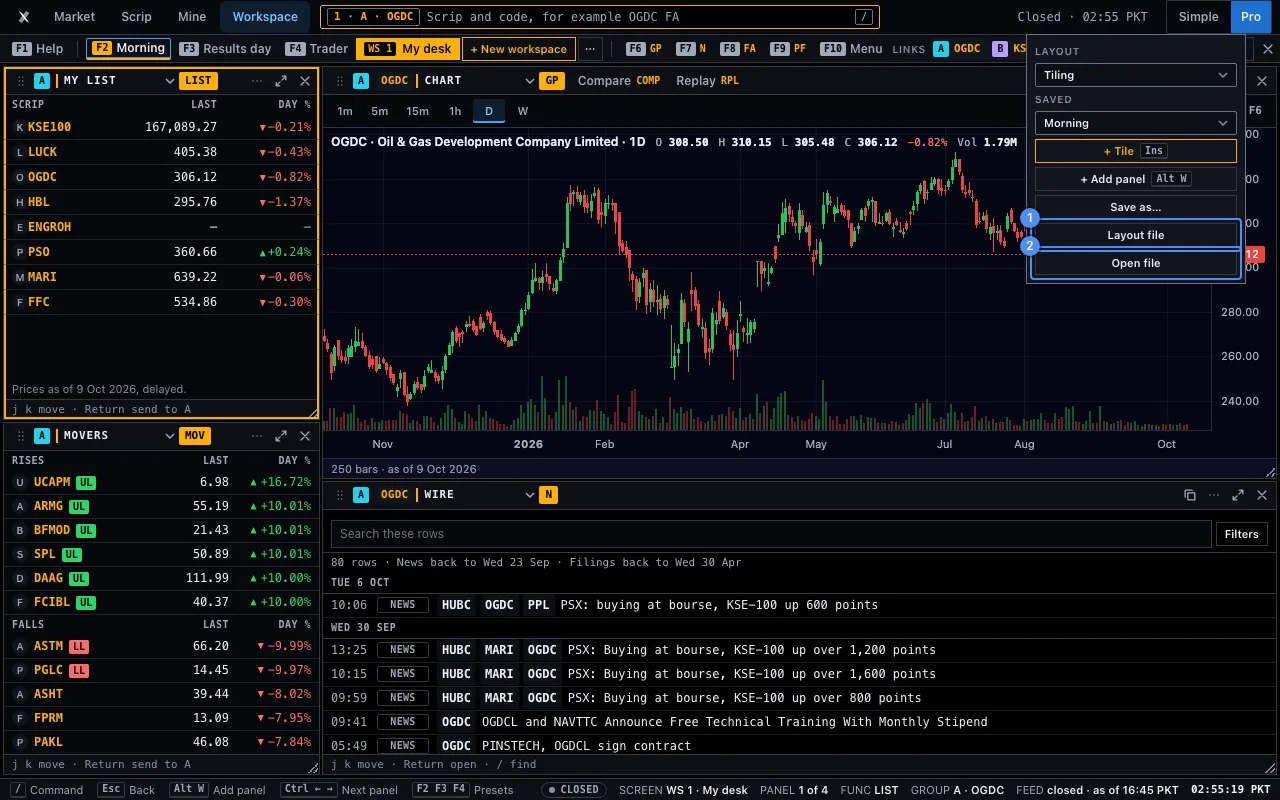
- The strip of function keys is not on a phone. The top bar is 48 px. It shows the workspace on screen by name, such as Research desk, and ⋯. Press the name to open the list of your workspaces: press one to go to it (it never replaces another), press + New workspace for Blank or a template, or use the workspace menu in the same sheet (Rename, Duplicate, Reset to template, Layout file, Open file, Close this workspace). ⋯ holds Undo (10 steps), Share the layout file and Close. The command line is the Command key
>_of the bar at the foot, which opens as a sheet. - The Workspace is dark on a phone too.
- Every target is at least 44 px.
The window decides how many panels a deck holds. A tablet shows 2 under 900 px and 4 from 900. The same saved arrangement opens on every device.
Urdu, right to left

Choose Urdu in the settings and the Workspace mirrors. Panels, dividers, the strip, the status line, the menus and the panel heads run right to left. The words use Noto Nastaliq Urdu. Numbers keep their figures and align in tabular columns.
A code, a size, a scrip and a figure keep their left-to-right order as one block, so −0.21% never reads backwards. The tile library opens from the left, and the sheets of a phone mirror too.
Codes such as FA and keys such as F6 stay in Latin letters, because they are what you type. The arrows keep their meaning in the tool’s own words: in a right-to-left language the sides swap where the page says so.
Roman Urdu and English change the words only. The words of the panels, the help cards and the messages come in all three languages.
Every state a panel can be in
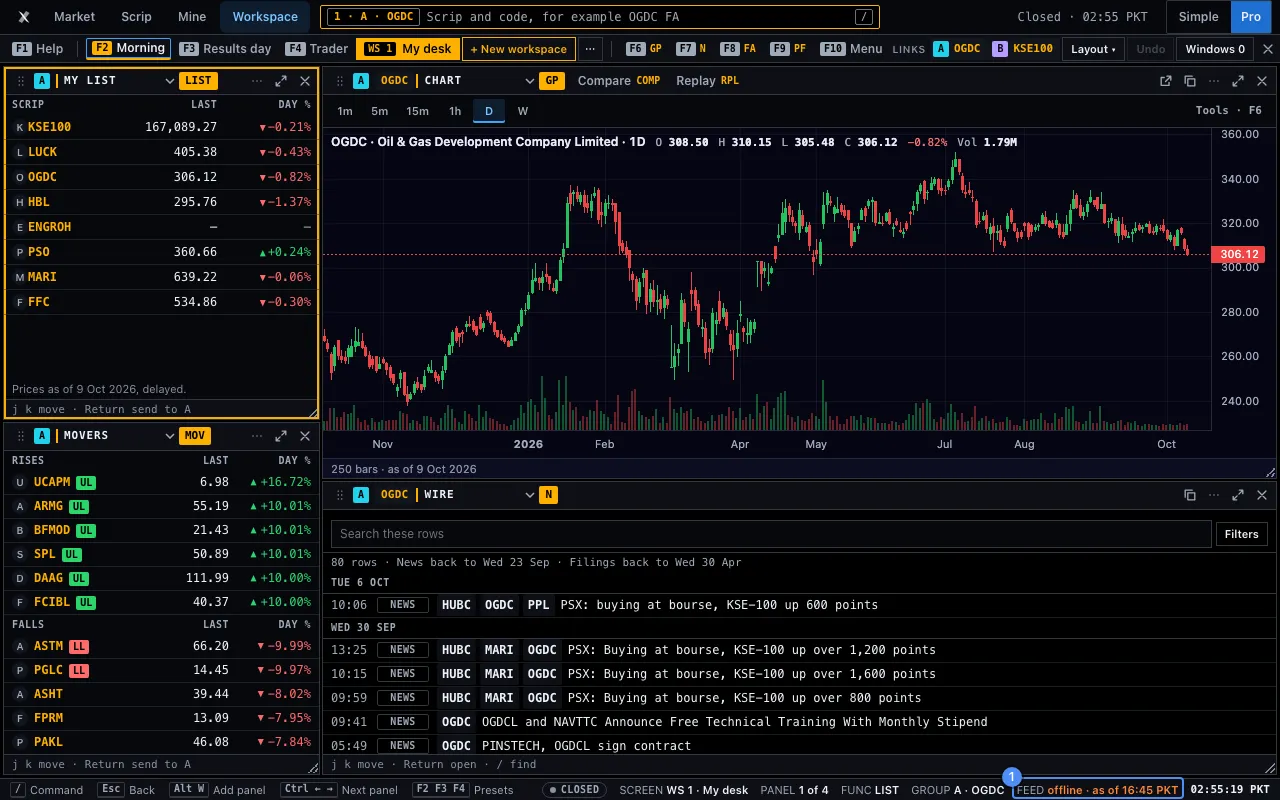
A panel always says what it is doing, in words.
| State | What you see |
|---|---|
| Loading | A tile’s rectangle is final at once. Its body shows quiet bars at a row’s height until it builds, then the rows. The library shows rows of bars too. Each is named for a screen reader. |
| Little history | A figure with too little history says so. Nothing is filled in. |
| Offline | FEED says offline. A panel that cannot read says so and offers Retry. |
| Reconnecting | FEED says reconnecting after a read that worked fails. It tries again. |
| Closed | FEED says closed. The last figures stand, with their time. |
| Halted | FEED says halted when the exchange published a market-wide halt today. |
| Error | FEED says error, and the panel says the read failed, with Retry. If the tile library does not load, the head of the desk says so, the library says so with Try again, and the desk still works. A saved desk that cannot be read opens the default desk, and the unread text is kept apart on this device, not erased. |
| New version | After an update the page you have open can lack the code of a tile you open. The tile says A new version of SuperX Apex is ready. Reload to open this tile. with a Reload button. Your arrangement is kept. |
| Empty | A list with no scrip says how to add one. A function with no scrip says to press a scrip in a list. A blank workspace shows one empty cell, with + Tile, and the library opens. |
A word is always said. Colour is never the only signal.
What stays on your device
The Workspace reads. It writes nothing to a server. Everything it keeps is on this device.
| What | Where it stays |
|---|---|
| Your panels, their places, your saved layouts, and each link group’s scrip | This device. Never in an address. |
| The three first-visit hints you have seen | This device. |
| The functions you pinned to the function bar | This device. |
| Your last ten command lines | This device. Never sent. |
| The Terminal look switch | This device. |
| Holdings, list and alerts | This device. Never in a link, a layout file or a window’s link. |
Between a Workspace and its pop-out windows, only the link group and the scrip pass, inside this browser. The address of the Workspace is always #go=WS. Your data and privacy covers the rest of the tool.