Your data and privacy
SuperX Charts has no accounts. It reads market data and keeps your work on your device.
What stays on this device

Your work and your choices are in this browser’s storage, on this device only:
- the drawings and the alerts, for each symbol;
- the watchlist and its sections;
- the layouts and the saved indicator sets;
- formulas, templates and favourites;
- the practice journal and record;
- the theme, colours, density, language and other settings.
The bars a chart read are kept on the device too, so a chart opens again at once.
Another browser or device has its own copy. Nothing moves between them.
Usage counts
The site counts how it is used: views, buttons pressed, time spent and failures. The counts carry no name, no address, no note and no drawing.
What the alert server keeps
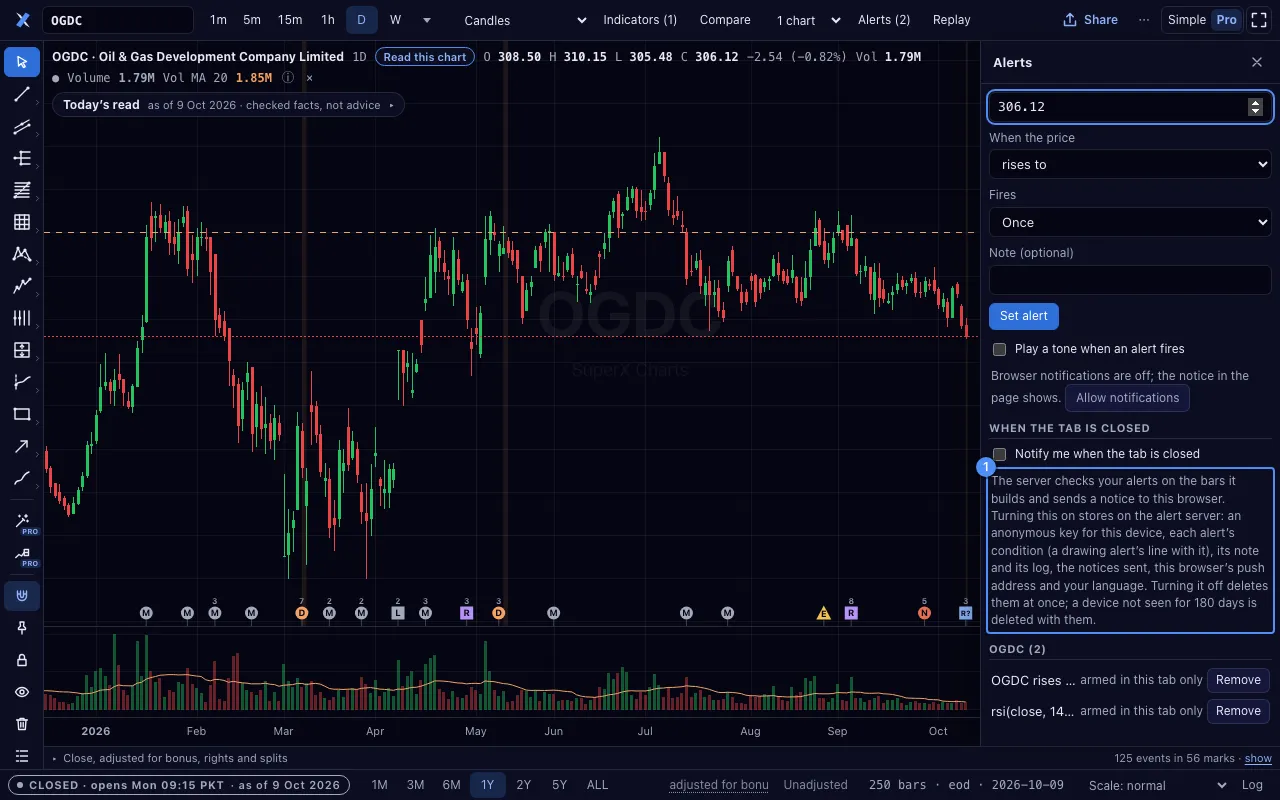
The alert server keeps nothing until you turn on Notify me when the tab is closed. Then it stores:
- an anonymous key for this device;
- each alert’s condition, its note and its log;
- the notices sent;
- this browser’s push address;
- your language.
Turning the switch off deletes them at once. A device not seen for 180 days is deleted with them.
This is the only thing SuperX Charts writes to a server.
Your work on another device

- Open Layouts in the ⋯ menu.
- Export Your work as one file. The file holds your layouts, drawings and watchlist.
- On the other device, import the file. It asks before it replaces anything.
To clear everything, clear this site’s data in the browser’s settings.