The story card
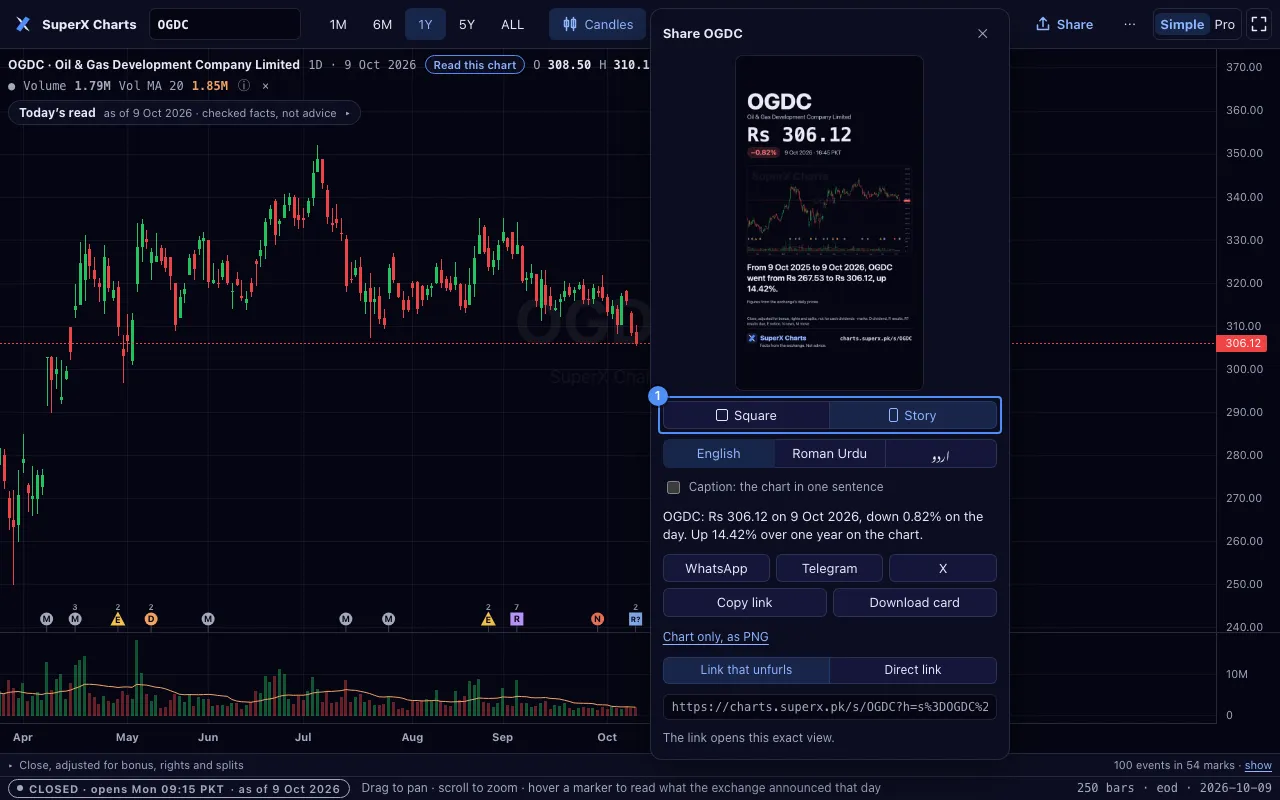
Under the preview, Card shape offers Square and Story. The story card is 1080 × 1920 pixels.
It leaves the top 200 pixels and the bottom 220 pixels clear for the app’s own buttons.
Telegram is beside WhatsApp and X.
Every view of SuperX Charts is a link. Share makes a picture of the chart and a link back to it.

The card shows your chart with its drawings and indicators, a one-sentence caption and a watermark.
The SuperX mark sits on the picture, at the bottom left. A cropped picture still shows where it came from.
Under the picture, the card prints the address of the chart’s page, for example superx.pk/terminal/s/OGDC.
After a share, one quiet line counts the days in a row you shared from this device.
Under the preview, Card shape offers Square and Story. The story card is 1080 × 1920 pixels.
It leaves the top 200 pixels and the bottom 220 pixels clear for the app’s own buttons.
Telegram is beside WhatsApp and X.

The panel offers two links 1.
Both open the exact view: the symbol, interval, range, type, indicators, scale, theme and language.
A link carries the drawings too when they fit. The card always shows them.
A link with drawings never replaces the drawings you saved. The chart asks first.
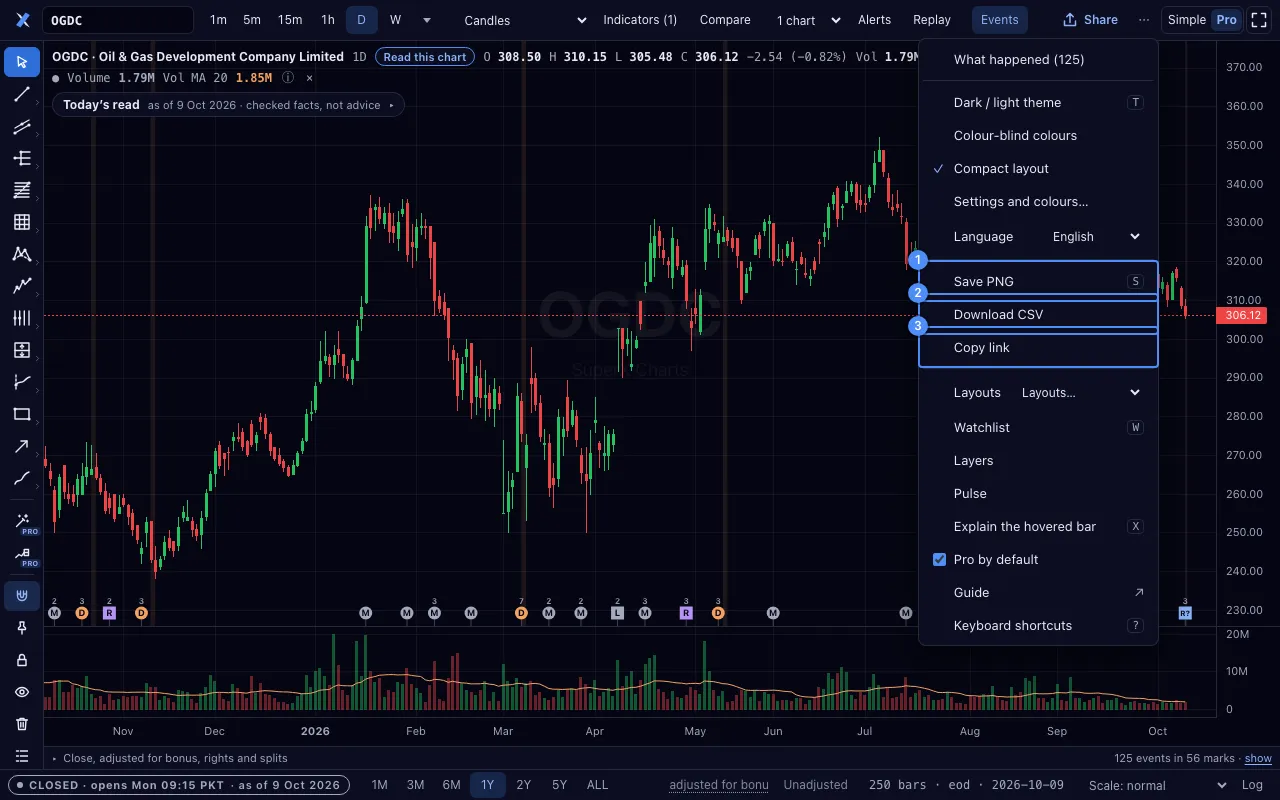

Another site can show one chart in a frame. The chart is read-only: candles and the legend, with no toolbar.
<iframe src="https://superx.pk/terminal/embed.html#s=OGDC&i=1d&r=1Y&theme=dark"
  title="OGDC chart · SuperX Charts" width="100%" height="420"
style="border:0;max-width:960px" loading="lazy"></iframe>| Key | Values |
|---|---|
s | a symbol or an index, for example OGDC |
i | 1m, 5m, 15m, 30m, 1h, 1d, 1w or 1M |
r | 1D, 1W, 1M, 3M, 6M, 1Y, 2Y, 5Y or ALL |
t | candles, bars, line or area |
theme | dark or light |
height | 200 to 1200 pixels |
Under the chart, the link Free PSX charts · SuperX Charts ↗ opens the full tool. No setting removes it.