The Pulse and PSX facts
SuperX Charts knows the rules and the record of the Pakistan Stock Exchange. It shows them as facts, each with its date and its source.
The Pulse

- In Pro, open the ⋯ menu and choose Pulse.
- Or press Ctrl+K and type “pulse”.
- Limit locks: shares at their upper or lower price limit.
- Unusual volume: shares that traded several times their 20-session average.
- New 52-week highs and lows.
- Largest moves.
- Most traded · by shares.
- The session, in sentences.
Each section shows five rows. Show all opens the rest. Halal only hides the companies outside the KMI All Share index.
When the market is closed, the Pulse says “as of close” and gives the date.
Price limits

The exchange sets a limit on how far a price moves in one session. Daily price band and locked bars draws the latest session’s upper and lower limit on intraday charts, each named in words. Tick Every session’s band under it to draw every session’s limits.
A bar that closed at a limit gets an L on the date axis.
On a daily chart, a ? marks a session that moved past the limit with no corporate action on record. The bars stay as recorded.
The Pulse lists the shares at their limits. A Circuit limit alert fires on them.
Events on the bars

| Mark | Event |
|---|---|
| D | an ex-dividend date |
| B | a book closure, or bonus shares, rights or a split |
| R | a results filing |
| R? | the next results window |
| E | a notice of the exchange |
| T | a change of name |
| M | a move of 3 % or more, with its sentence |
| N | news on the company |
| L | a close at the price limit |
| ? | an unexplained step |
Point at a mark, or tap it, for its card. A results card links the filing.
A record shows only from the day it was known.
Explained moves

A move of 3 % or more gets a sentence. The sentence puts the day’s filings and news beside the move.
- Point at a bar.
- Press Ctrl+K and choose Why it moved.
Read this chart describes the chart in words. Explain this bar describes one bar. Explain this indicator says how an indicator works.
Each of them cites its numbers and gives no advice, in English, Roman Urdu and Urdu.
Flows
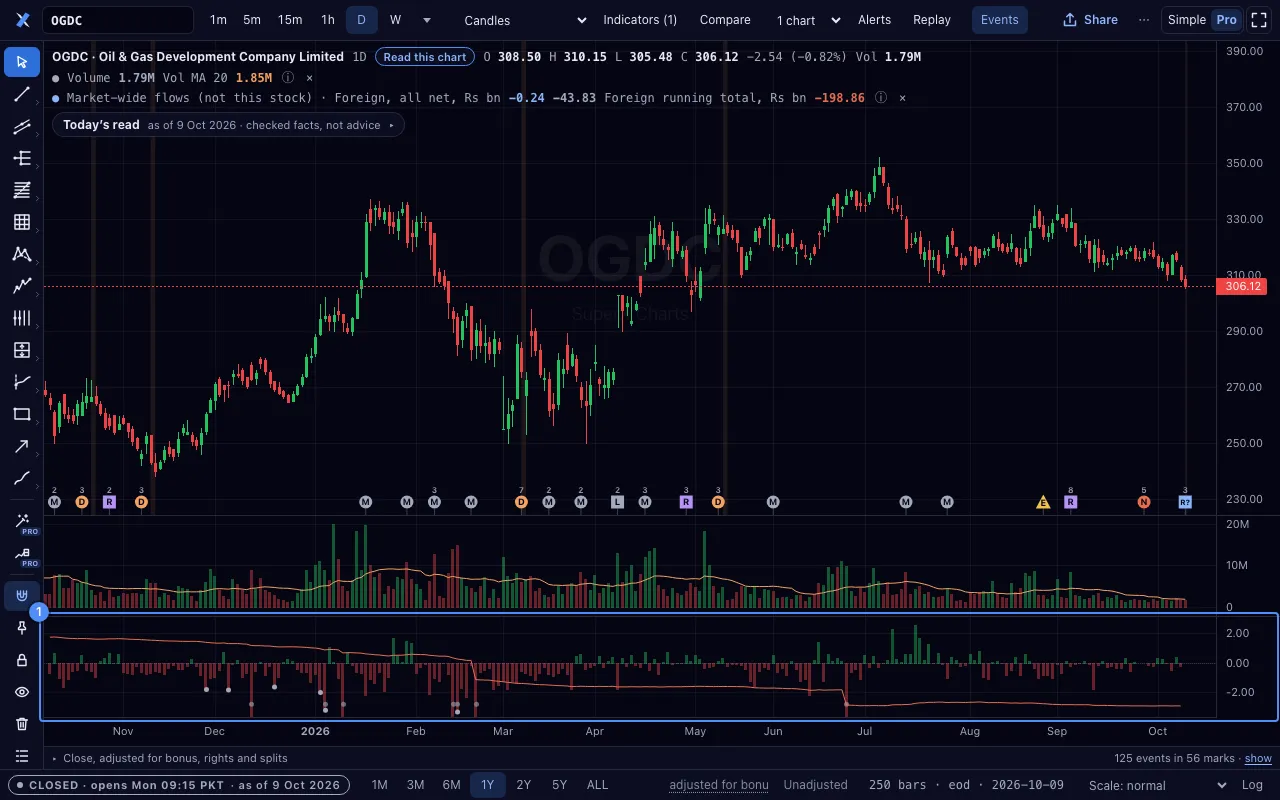
Market flows by investor type draws the net value each investor type traded each day, for the whole market, in a pane of its own.
It is the market’s figure, not this share’s. No public record gives flows for one company.
The sector flows layer draws the flows of the share’s sector. It is labelled “sector flows (not this share)” and starts on the day each figure was published.
Both are in Layers.
Adjusted prices, and the exchange’s own prices

Daily prices are adjusted for bonus shares, rights and splits. They are not adjusted for cash dividends.
- Click Unadjusted 1 for the prices as the exchange printed them.
- Click Adjusted to go back.
- Click the words “unexplained steps” for each factor: its ex-date, kind, factor and record.
On a phone, the switch is in Pro’s Settings, under Prices.
The link writes adj=none for the exchange’s own prices.
The Layers panel
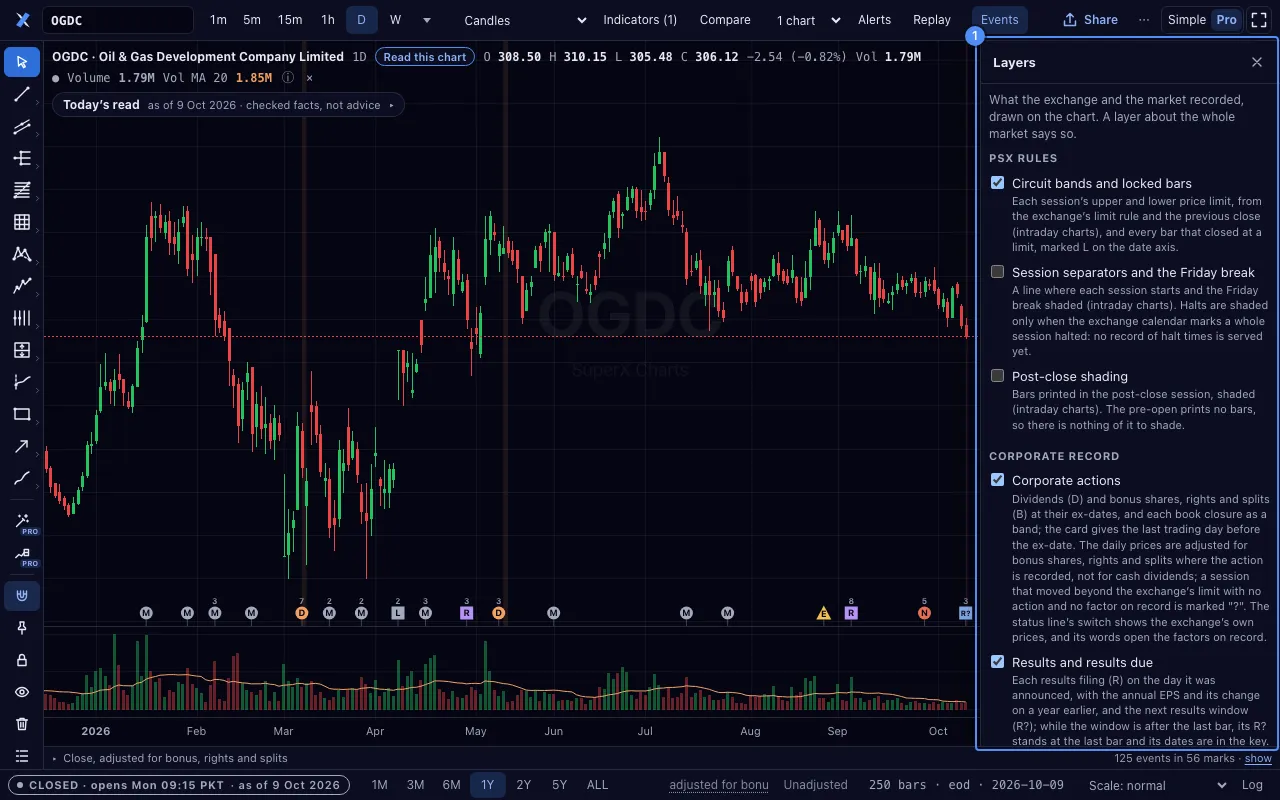
In Pro, Layers turns each data layer on or off.
| Group | Layers |
|---|---|
| PSX rules | the daily price band and locked bars; session lines and the Friday break; post-close shading |
| Corporate record | corporate actions; results and results due |
| Fundamentals | cards on the fundamentals panes |
| Flows | market flows by investor type; sector flows |
| Shariah | the KMI badge |
| Relative strength | against the KSE-100 or the KMI-30 |
| Macro | the SPI, the policy rate and CPI |
| News | the news and moves lane |
| Events on the price | which marks show |
A layer about the whole market says so. A layer with no data says why.
Rotation of the indices… opens a rotation graph of the indices.